Advanced Kanban Swimlanes
v1.10.0
Kanban Swimlanes is a very important and useful part of Kanban methodology which helps to group together similar tasks within the columns. Because of this grouping, it creates horizontal divisions on a Kanban board which then can be used to categorize and organize tasks based on specific criteria such as team, project, priority, or workflow stage. They add a second layer of visual organization beyond the vertical columns (like “To Do,” “In Progress,” “Done”) by grouping related work items into distinct lanes.
This structure enhances workflow clarity, helps teams manage workloads, prioritize tasks, and identify bottlenecks more effectively. Swimlanes are especially useful in complex projects involving multiple teams, clients, or types of work, as they reduce visual clutter and improve focus.
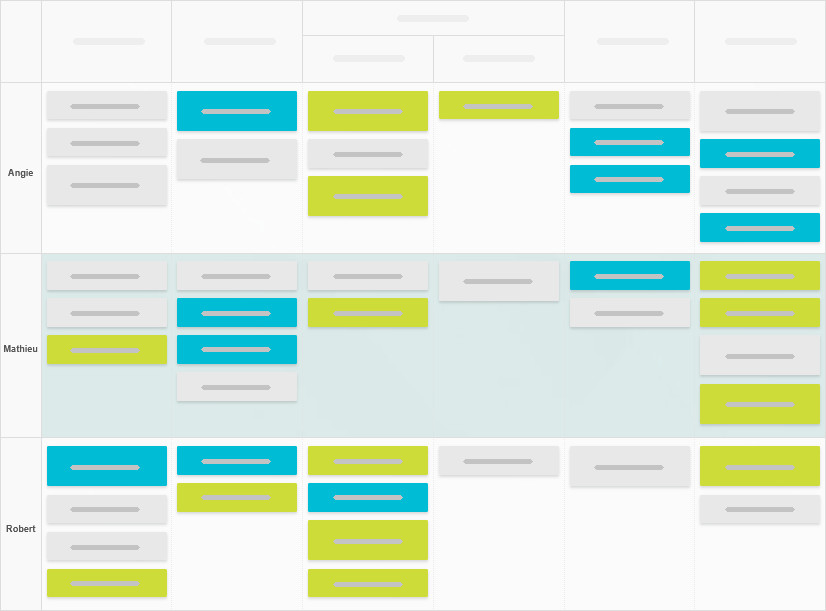
Below is an image, which shows how you may group tasks which are assigned to specific member in your team.
Why this feature is unique?
There are multiple plugins and even softwares out there which has the swimlanes feature in them. But the specific features which makes this Kanban swimlanes feature in this plugin very unique are :
- Custom swimlanes
- Aggregator swimlane
- Exclude columns
All these features might not make sense, just reading this wiki. So will highly recommend to checkout the below video to learn more about these features :
YouTube video link : Task Board v1.10.0 release - Kanban Swimlanes feature
Custom swimlanes
In Task Board, while creating swimlanes for your specific board, you can sort them in the order you would like. For example, if you have created swimlanes based on the tag property of tasks. But the sorting of the swimlanes should not be based only ascending or descending, and you want something more. Then you have the option to create as many swimlanes as you like and order them however you want.
Aggregator Swimlane
Now, in this same example of creating swimlanes using the tag property. There will be often a situation where you will prefer to have only few swimlanes, say only 3 swimlanes, and rest all the tasks with different tags on them should be group into one single swimlane, as an aggregator. For this, you can enable this option so you only see a single “Aggregated Swimlane” at the bottom. Read this GitHub ticket to learn more : tu2-atmanand/task-board.
Exclude Columns
There are few cases when you would like to see a particular column from your swimlane configuration to be rendered as a normal column just besides the Swimlane layout.
One such situation is when you have configured your swimlane using the “Tag” property on a “Tag Based Workflow” board. So, you might have already guessed that, in such a board, you will have the Untagged type of column. And as you know, this type of column will only going to show all the tasks which do not have any kind of tag on them. In such cases, the tasks under this column will only appear as a part of the “Aggregator swimlane” and all the other swimlanes for this column will be empty.
To solve such problems, you can simply exclude this column out of the swimlane layout and have yourself a inbox like UI, to easily see which tasks do not have even a single tag on them and drag and drop these tasks in the respective swimlane to organize them easily using your own tags.
Two different UI layouts
Additionally, this swimlanes feature has been implemented using two different UI layouts :
1. Horizontal Headers
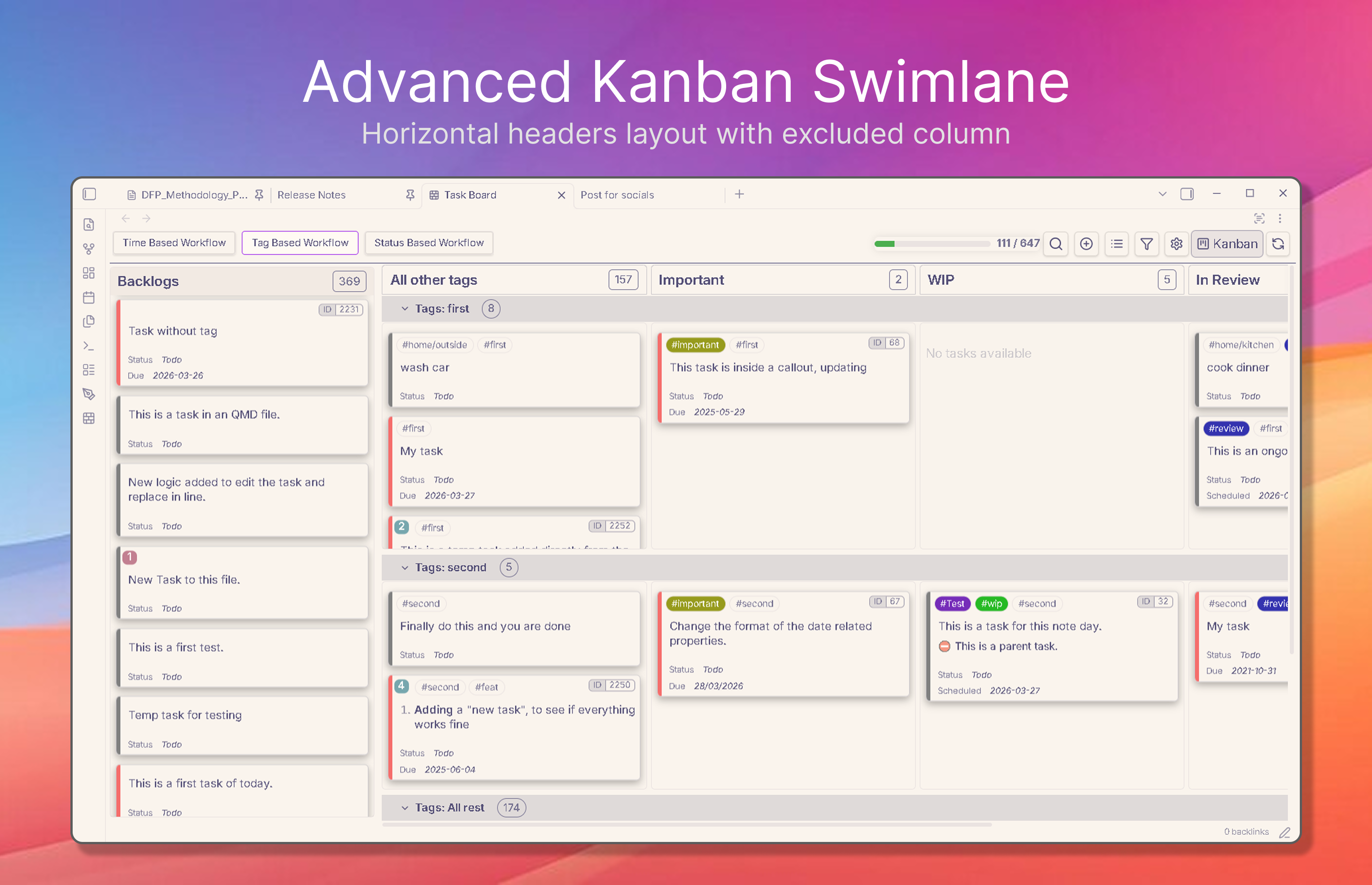
- This layout is very efficient on small width devices, especially on mobile phones, where your screen width is not used to show the swimlanes headers.
- This layout has been used by many popular softwares and help to keep the UI simple and cleaner.
- The above image also shows the example of an Untagged type of column excluded from the swimlane layout.
2. Vertical Headers
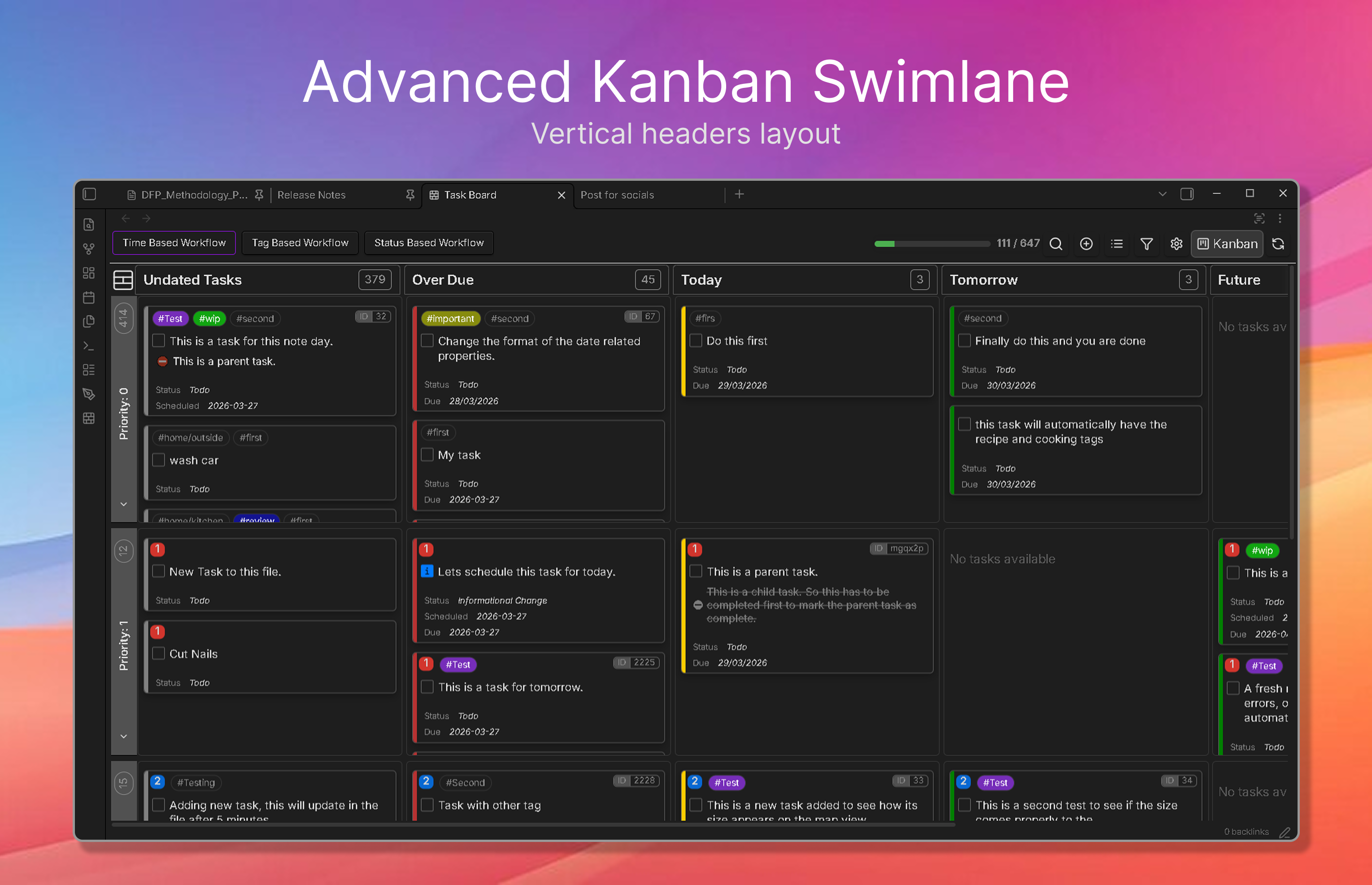
- This is a more stylish kind of UI, where the swimlanes headers are aligned in a vertical manner.
- It might be a little difficult for few users to read the content vertically, but provides a nice grid looking layout for desktop screens.