Types of Columns
Task board provides 10 different types of columns to organize your tasks inside the kanban view. These columns have their unique purpose and helps you to get a customized view without doing a lot of configurations. Consider them as pre-configured lanes to show all similar tasks with common properties.
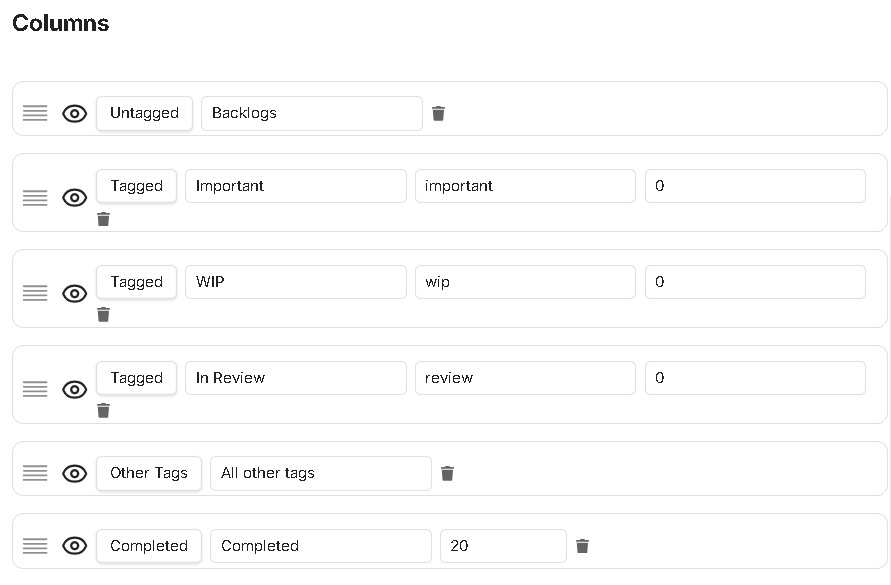
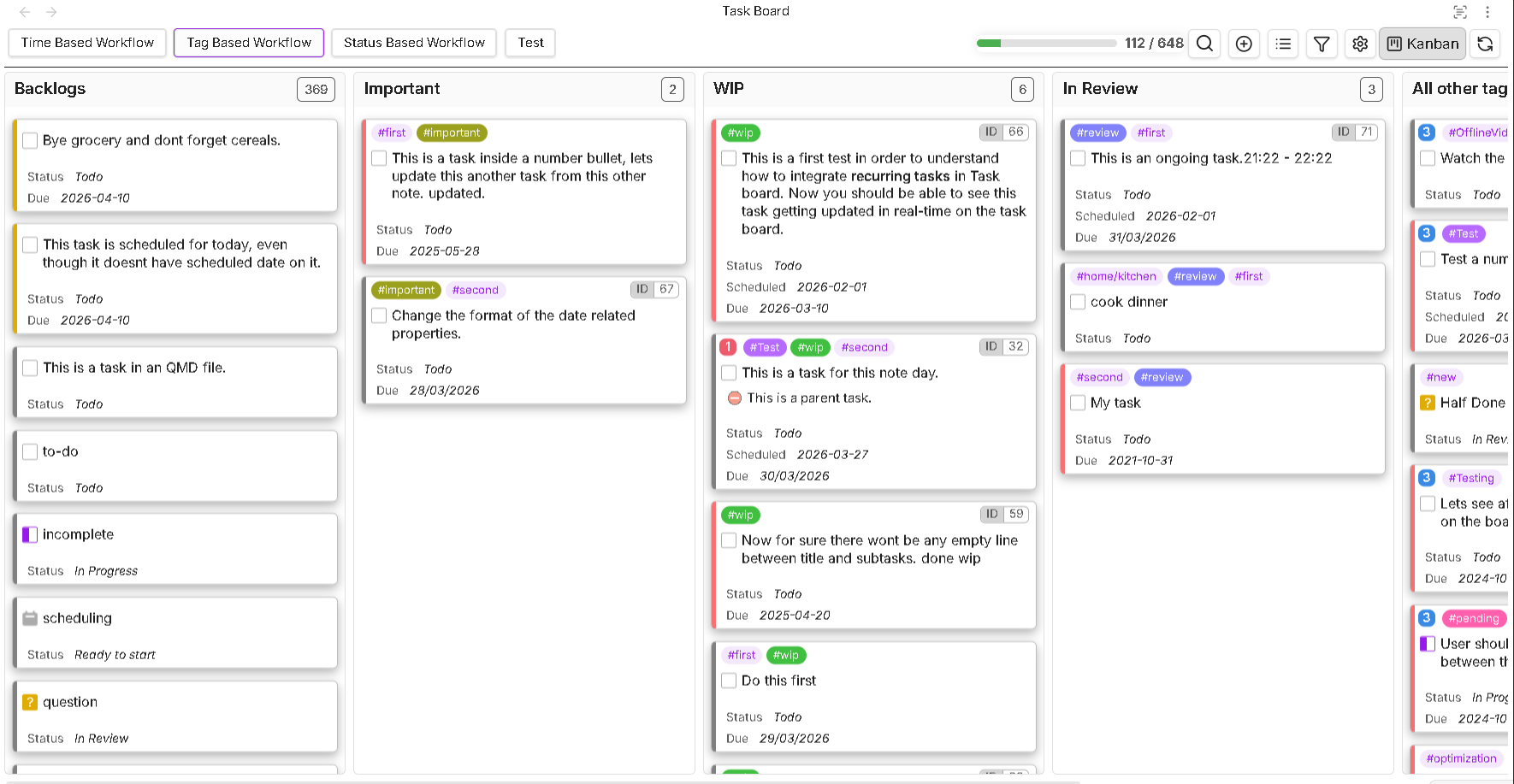
Now, even though its possible to add any type of column inside your kanban view, it will be highly recommended to only use related column types to create efficient workflows. For example, if you want to setup a tag based workflow, where each column should show you tasks with a particular tag on them, then all your columns inside the particular board will going to have Tagged type of columns. Additionally, you will also like to see if there are any tasks with other tags on them which are already not shown in the existing Tagged type columns, for which you can add the Other tags type of column. Below images will show such an example :
Use the below links to navigate in the wiki for each type of columns to learn more about them :