Advanced Filter
v2.0.0 (under development)
Filters are a very essential part of any management/organization tool. It helps to collect related items together or very useful when we are trying to search for something by narrowing down our result using various criteria which are based on the properties of that item, in this case the task.
Task Board provides a very advanced filter which consists of multiple quick filers. You can enable/disable these filters whenever you want, save them for later use or share them across other boards in your vault.
Terminology
Before moving with the actual understanding of this advanced filter, first, lets get ourselves familiar with the various terms we use in this plugin to indicate various parts of the “Advanced filter”. Here is a venn diagram to first understand the structure of the Advanced filter :
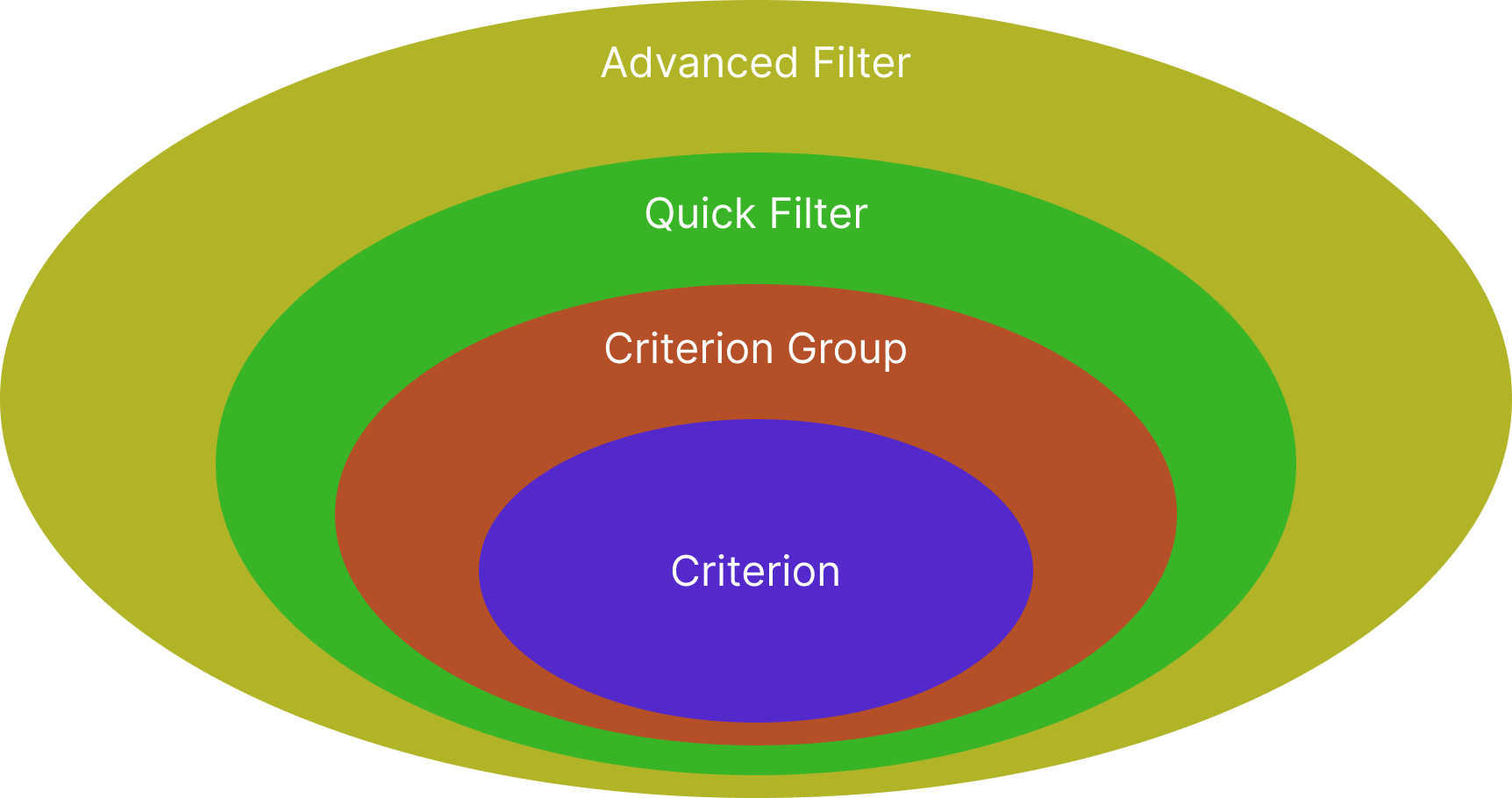
Advanced Filter => Collection of “Quick Filters”.
Quick Filter => Collection of “Criterion Groups”.
Criterion Group => Collection of “Criterion”.
Criterion => The basic rule which we will use to compare/judge a task, to decide whether it should pass through this Advanced filter or not.
And these various groups are combine the elements inside it using Boolean operations “OR”, “AND”, “NOR”. For example, multiple “Criterion groups” can be combined together using any one of the Boolean operation to form a “Quick filter”. These operations will help you to create any kind of complex logic you want to apply as a whole advanced filter.
From the UI perspective, below image will show you what each of the component inside the Advanced filter menu is called :
To understand all the sections in detail, please refer this wiki : Advanced filter menu
How does it work?
Lets use an example to understand how this whole “Advanced filter” feature works…
In the above image you can see that we have two active “Quick filters”. (The quick filters which has been disabled will not be considered. This helps you to quick toggle any filter on or off to see the particular tasks faster.)
Advanced Filter Hierarchy
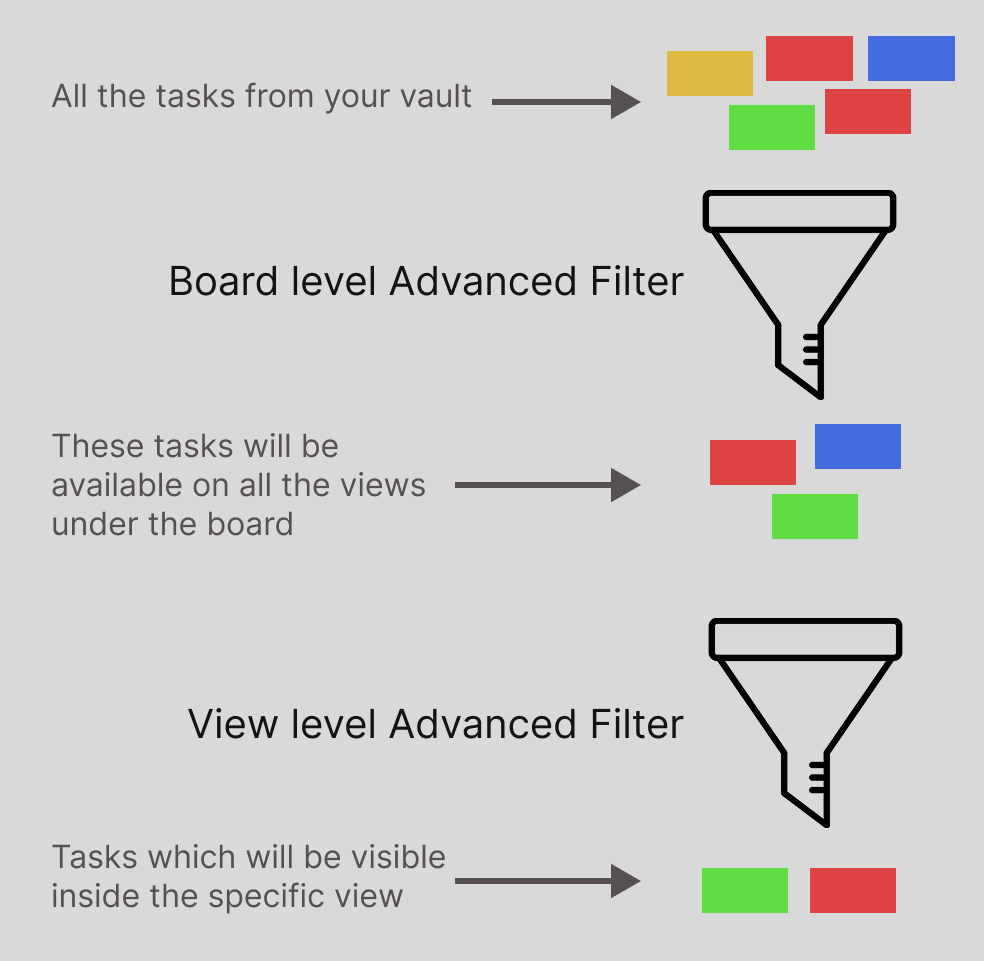
Now, the reason why I call “a collection of Quick filters” as “Advanced filter” is because, an “Advanced filter” can be imagined as a funnel, inside which we will pour a lot of tasks and only a certain tasks will pass through it, so that they can be visible inside you views. You can apply this advanced filter at two levels :
- Board level
- View level
If you are inside a Kanban view, this Advanced filter is also supported at Column level as well.
Below image will show you, how hierarchy works when both level of advanced filters has been applied :