How to test 2.0.0 beta releases
As we are updating Task Board from any version of the 1.x.x series to any version of 2.x.x series, this plugin will require some migrations to be applied, hence testing for any of the beta versions of 2.0.0 will require few extra steps compared to the other beta versions.
During the testing phase, will be releasing multiple beta version, such as 2.0.0-beta-1, 2.0.0-beta-2, etc…, where in each new beta version will make few enhancements and bug fixes, so when you will install each of this new beta version, you should follow the below steps to properly and thoroughly do the testing and to make the next series ready for release.
Keep an eye on the GitHub releases section to find out if there are any latest beta versions has been released for this new Task Board series.
Please follow the below step-by-step guide :
Step 1 : Download the test vault
In every beta release, at the end of the release notes, you will find a zip file attached. Which you can easily download, unzip and open inside Obsidian as a vault. For example, in the beta release of version 2.0.0-beta-1 you can see a zip file attached.
Whatever changes you do inside this test vault, will not affect any other vault in your computer, so its completely safe.
Step 2 : Use the 1.x.x version for a while
Now, in this test vault, you will notice there are mainly two plugin (there can be few more plugins too), Task Board and BRAT. The version of the Task Board plugin will be from the older series, 1.x.x.
You are now supposed use this version for a while. This is because, the main testing we will be doing for the upcoming version 2.0.0 release, is to test, whether the migration code is properly working or not. You can read more about how the migrations will be applied and everything from here : Migrating to Task Board 2.x.x series.
So, as we want to ensure that the map view data is properly being migrated or not, we should use the map view feature extensively and then verify whether, after migrating to the beta version, the map view data has been properly moved or not.
In general, we shall use the following feature in the older series of Task Board :
- Map view (Please note, you should enable the “Auto add unique id” setting.)
- Board Filters (Save few filters)
- Create your custom boards
Step 3 : Install the beta version
Now, open the BRAT plugin settings, and navigate to the “Beta plugin list” section, where you will find the Task Board plugin has already been registered, as shown in the below image :
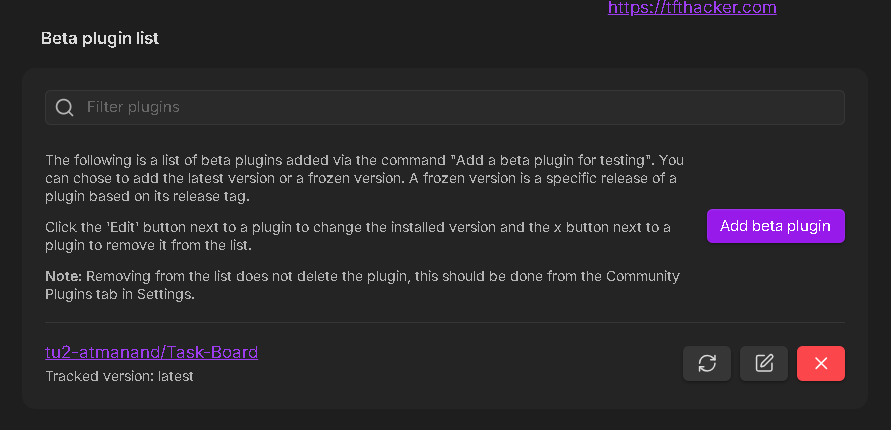
Click on the Edit icon button which will open a modal for you to select a different version of the Task Board plugin.
Select the beta version, you want to update to. For example, 2.0.0-beta-1. If you see any newer beta version, such as 2.0.0-beta-4, please update to the newest beta version.
Step 4 : Run the migrations
As soon as Task Board version has been updated to the beta version, a notice will be shown, with button on it, called Open migration modal, as shown in the below image :
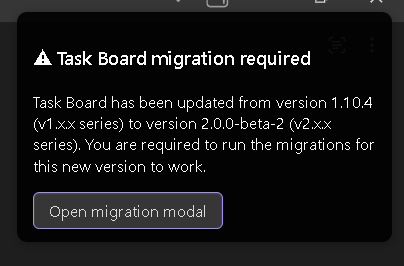
When you will click on this button, the following migration modal will open :
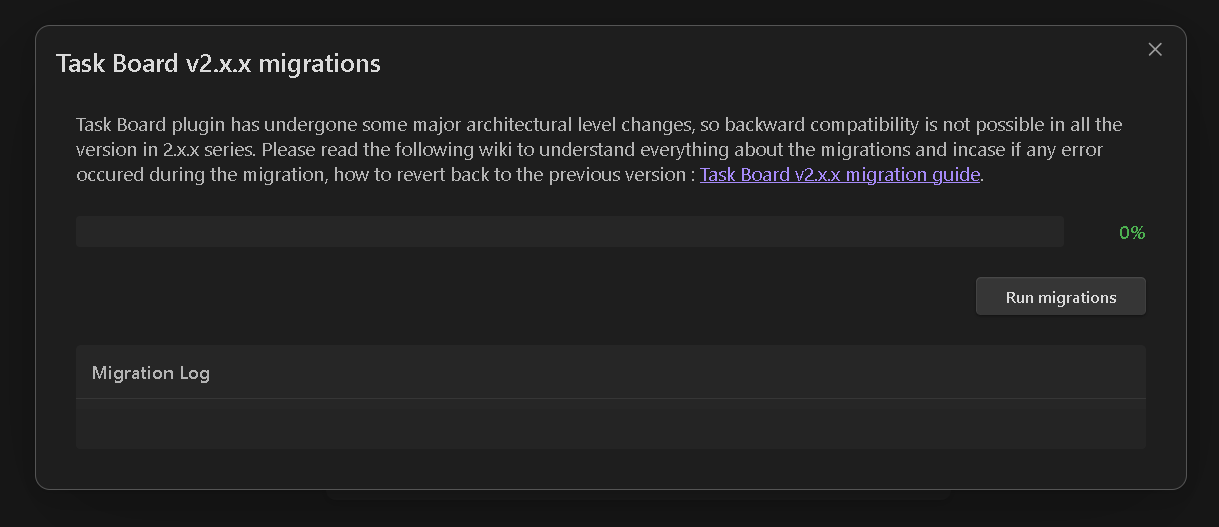
On this modal, click on the Run migrations button.
After the migrations has been successfully applied, you will be asked to reload the vault, simply click on the button to reload the vault and now you can start testing the new beta version, its features and everything.
If you face any issues during migration, please report the same on GitHub ticket.