How to test beta release
Beta releases are the versions released for testing and ensuring the plugin will work as expected after the main release. Beta version usually will have the name/tag as minor release version followed by a ‘beta’ name, followed by a number. Eg.: 1.5.0-beta-2.
Whenever a new beta version has been released, you will get a notification for the same either through mail if you are watching this repository or in the Announcement section of the discussion.
Points to remember while installing a beta versions :
- Use a dummy vault or sandbox vault. Since new changes might contain some bugs, there is a possibility of data loss. Hence never install a beta version of any plugin inside your main vaults.
- Uninstall any version of previous Task Board you have installed in the vault you are doing the testing. If this is your fresh new vault, then no worries.
- Preferably use the first method from below to do the testing, to avoid wasting time in creating a dummy vault, etc.
There are two methods to test a beta version :
- Download a pre-configured test vault. (This is a easy method)
- Install the beta version using BRAT plugin.
First Method : Download a test vault
- In every beta release you will find a zip file attached in the release notes. Which you can easily download, unzip and open inside Obsidian.
- For example, open the following link to see a zip file attached at the end for the release notes of the beta version
1.8.0-beta-4: https://github.com/tu2-atmanand/Task-Board/releases/tag/1.8.0-beta-4. - Simply download this zip file, then extract the folder from the zip file, then open that folder inside Obsidian. Now you can easily start testing this beta version.
- If you found any issue or bug, if its a small bug you can simply report the bug here : create a new issue.
- But, if the developer wants more information to troubleshoot the issue, try to reproduce the issue inside this same test vault you are using. If you are able to reproduce the issue, simply zip this test vault folder back and send this zip to developer. Either in the same issue ticket or email it to sanketgauns8@gmail.com.
Second Method : Install the beta version using BRAT plugin.
Step 1 : Open the Dummy vault inside Obsidian.
Step 2 : Open the Settings Panel using the Gear Icon from the Side bar: 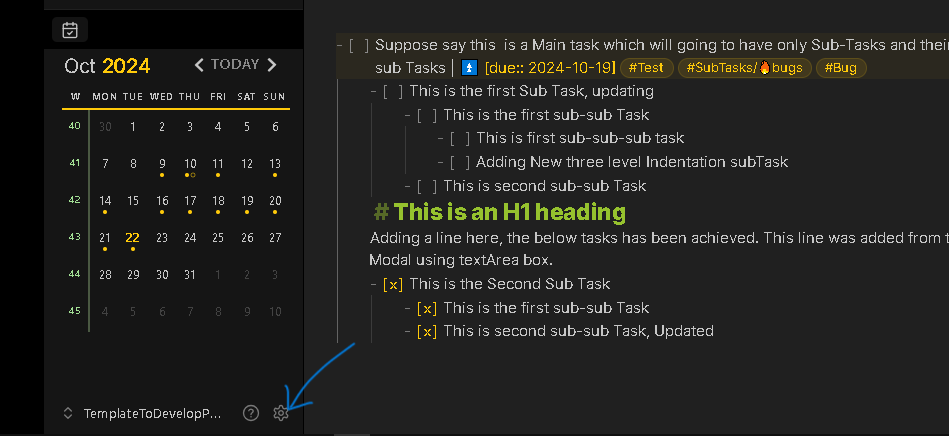
Step 3 : Click on the Community Plugins Tab from the Right Sidebar. 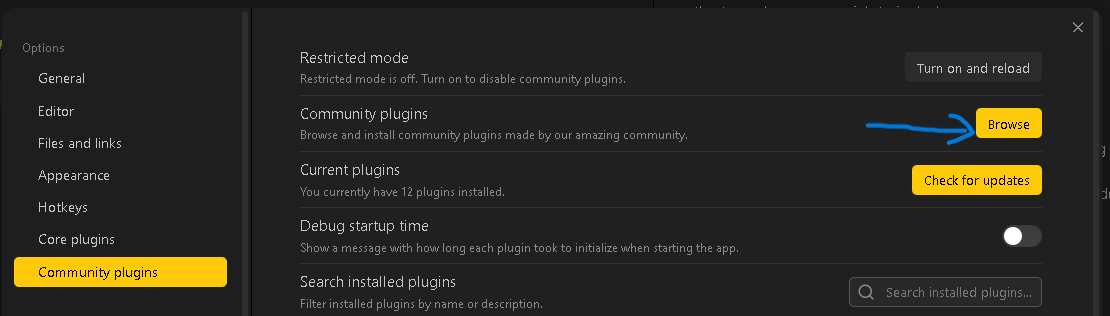
Step 4 : Click on the Browser button from the pane.
Step 5 : Search for BRAT in the search bar.
Step 6 : Click on the plugin by TFTHacker. 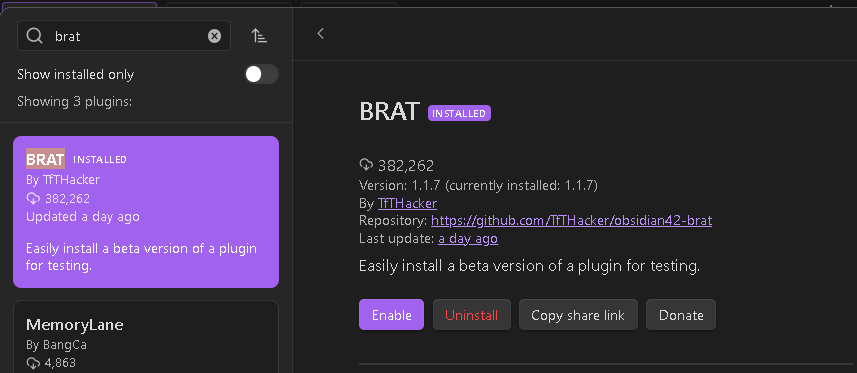
Step 7 : Click on Install.
Step 8 : After installing you will see a Enable button, click on it.
Step 9 : Navigate to the setting of BRAT plugin and open the tab as shown in below image : 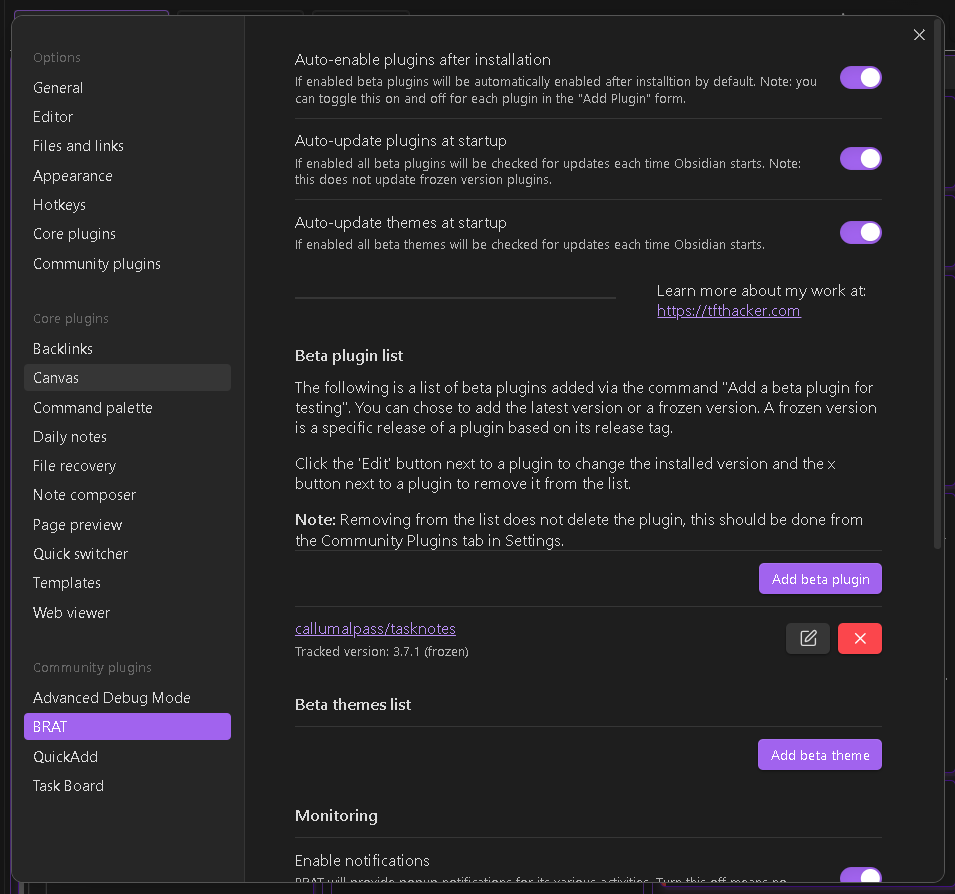
Step 10 : Click on the Add beta plugin button. You will see a new modal as below : 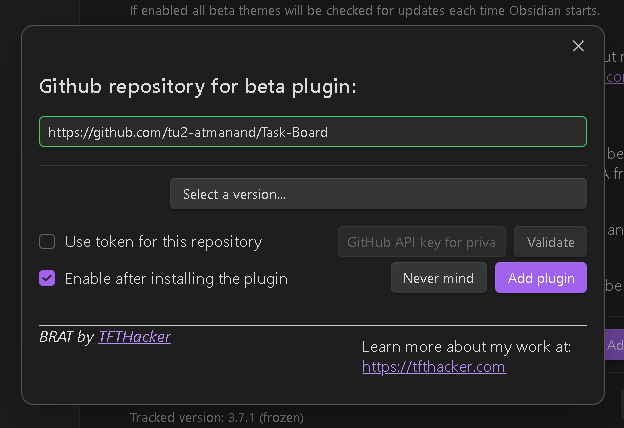
Step 11 : In the first input field enter the following url : https://github.com/tu2-atmanand/Task-Board. And then click anywhere else on the modal. You will get a green highlighting for the input field, indicating its a correct url.
Step 12 : Now you can select the any version of Task Board using the "Select a version.." drop-down menu. Select the latest beta version you want to start testing.
Step 13 : Simply click on the Add plugin button and wait for some time for the plugin to get installed.
Step 14 : The plugin is ready for using as usual. Try out all the new features in this version and report the bugs you will encounter. Also your suggestions are more than welcome for the enhancement of this plugin in any way.
Thank you for you contribution!